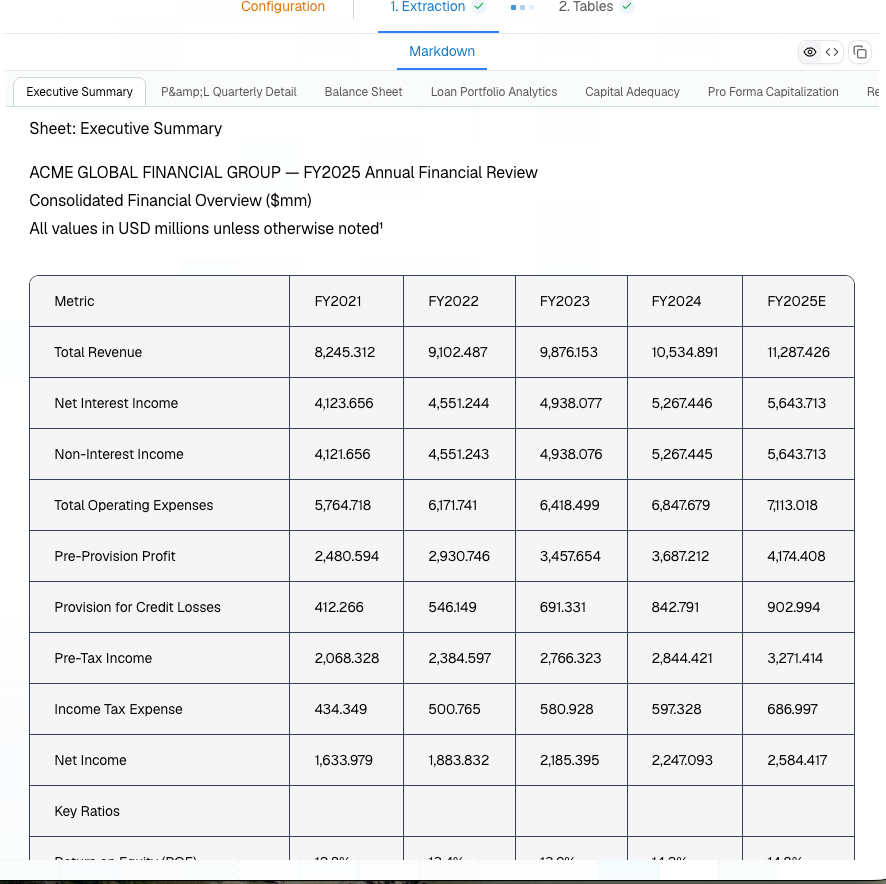
Use spreadsheet settings for Excel workbooks where the visual workbook structure matters. This is especially useful for financial models, loss runs, claims exports, underwriting workbooks, and operational reports exported from ERP or BI systems. Platform companion sample: Complex Table Document Spreadsheet extraction in the Platform showing workbook tabs and markdown output The most important settings are:
SettingUse when
include_hidden_rowsHidden rows contain data your workflow must audit.
include_hidden_colsHidden columns contain calculations, IDs, or source fields.
include_hidden_sheetsThe workbook uses hidden support tabs that should be parsed.
use_raw_valuesDownstream systems need exact numeric values instead of display-rounded text.
only_data_rowsThe workbook has many empty trailing rows because of formatting or prior exports.
only_data_colsThe workbook has many empty trailing columns for the same reason.
{
  "file_url": "https://your-storage.example.com/acme-financial-review.xlsx",
  "spreadsheet": {
    "only_data_rows": true,
    "only_data_cols": true,
    "use_raw_values": true
  }
}
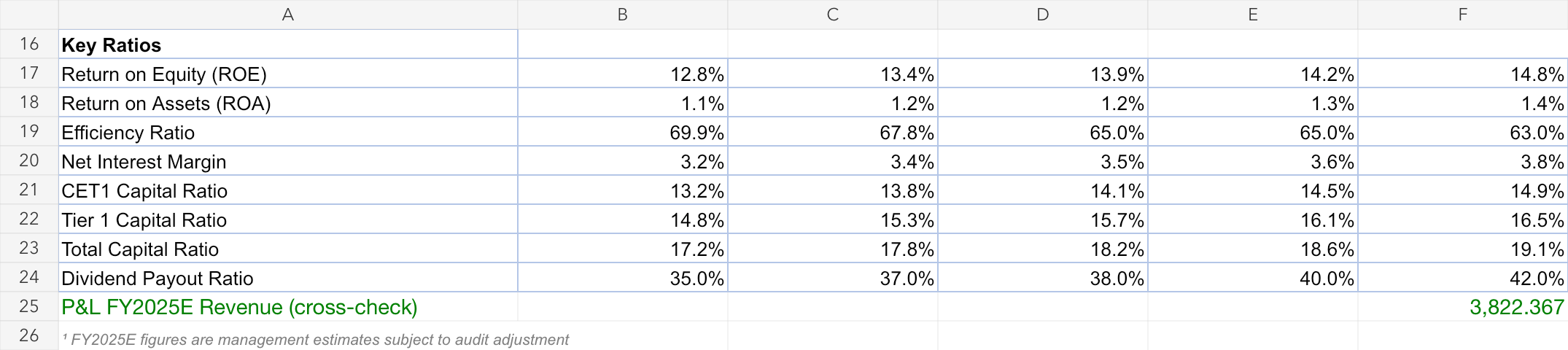
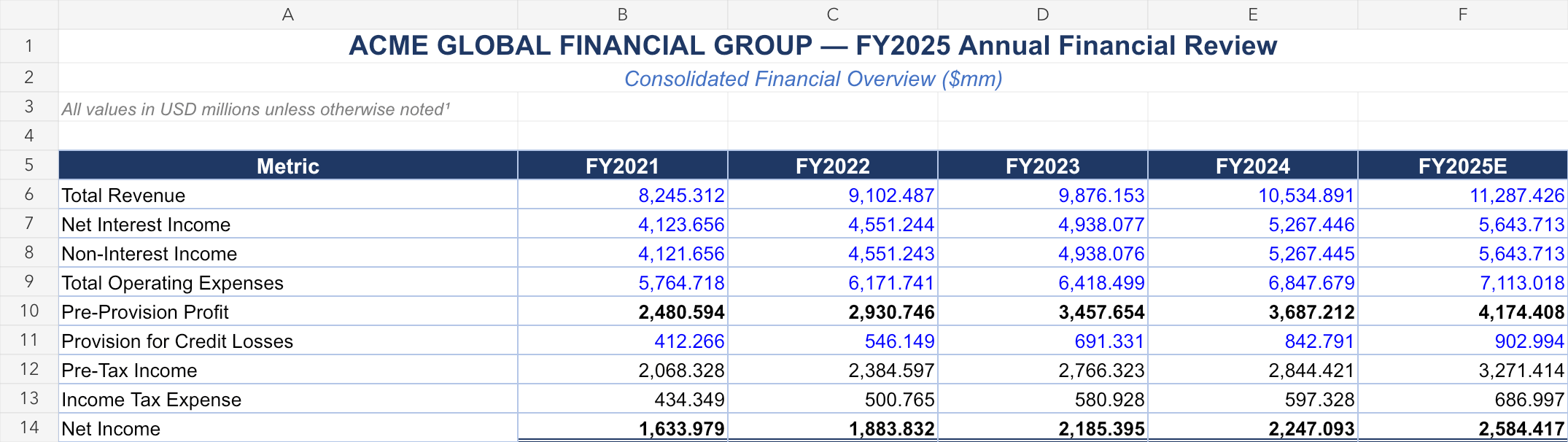
Here are compact previews from the ACME financial review workbook used for this section: Executive summary sheet preview from the ACME workbook Key ratios sheet preview from the ACME workbook Quarterly profit and loss sheet preview from the ACME workbook
Public cookbook examples are mostly PDFs today. For table-heavy public samples, compare Complex Table Document and Research Report, then upload your workbook in the Platform for spreadsheet-specific settings.

Extract API

See every spreadsheet request option.