
Target Workflow
Steps
1
Open New Extraction
Go to the Platform and open New Extraction from the sidebar.
2
Upload a representative invoice
Use a real sample format if you can. Representative documents matter more than perfect toy examples.
3
Run Extract first
Keep the first run simple. Run Extract and inspect the Markdown and Tables tabs so you know what Pulse saw.
4
Add Schema
Add a Schema step. Start with the fields you need in production: invoice number, vendor, dates, total, and line items.
5
Review citations
Confirm the output values point to the right source locations. If a field is ambiguous, improve its description or add a schema prompt.
6
Save the schema preset
Save the schema once it works on more than one invoice. This gives you a
schema_config_id for production code.7
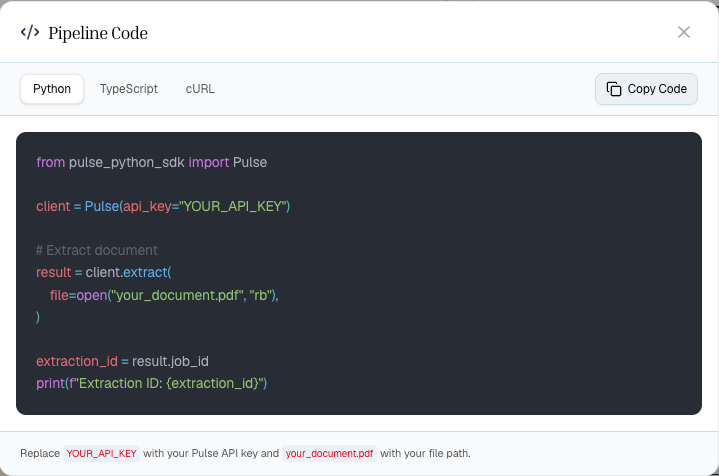
Show Code
Open Show Code and choose Python, TypeScript, or cURL. The generated code will match your tested configuration.
Visual Walkthrough
Start with a single Extract step and keep the first run simple.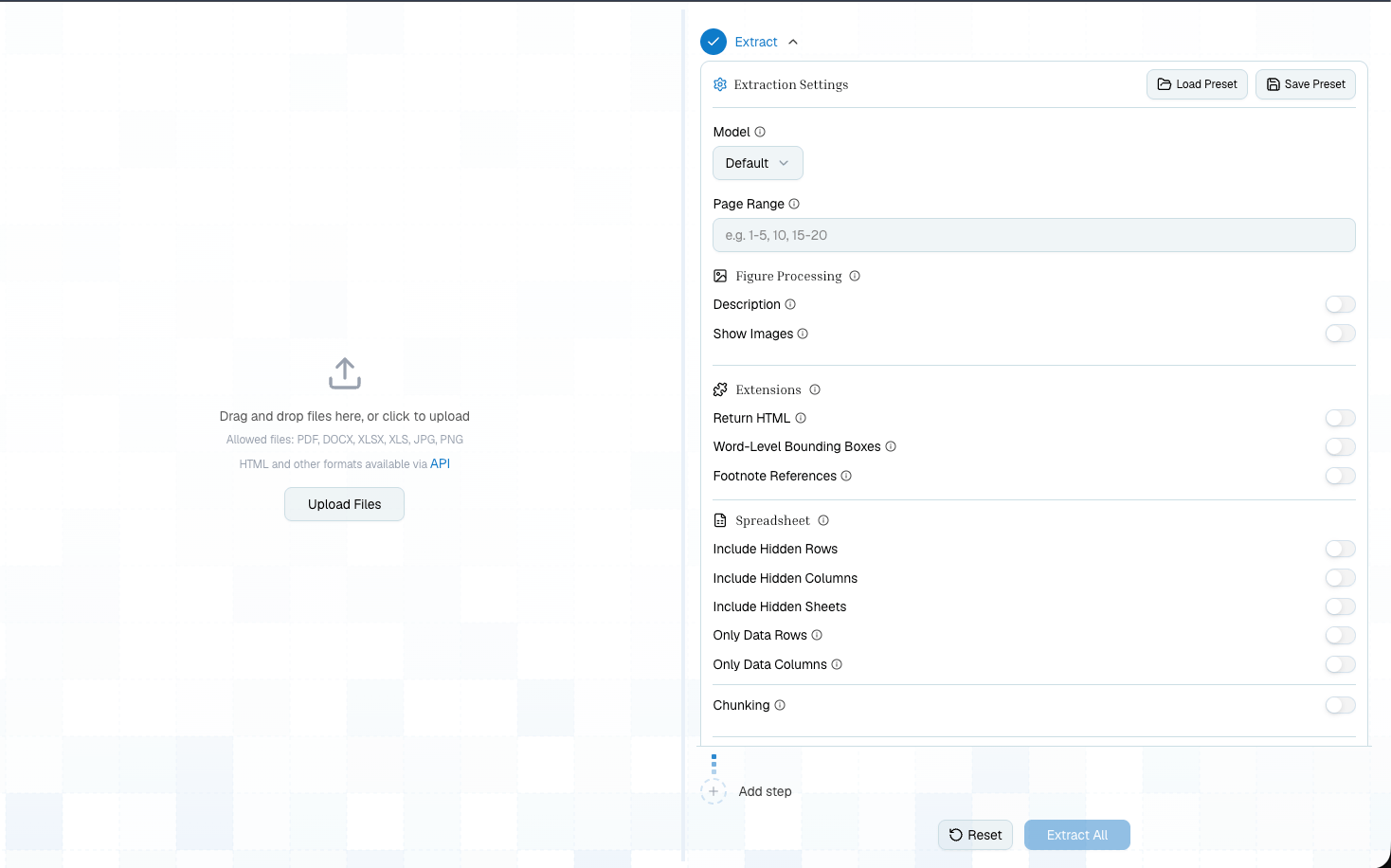
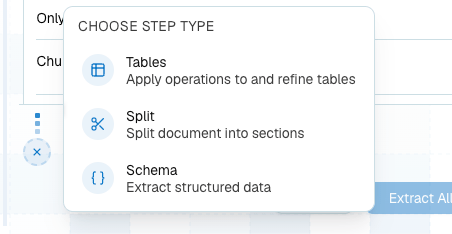
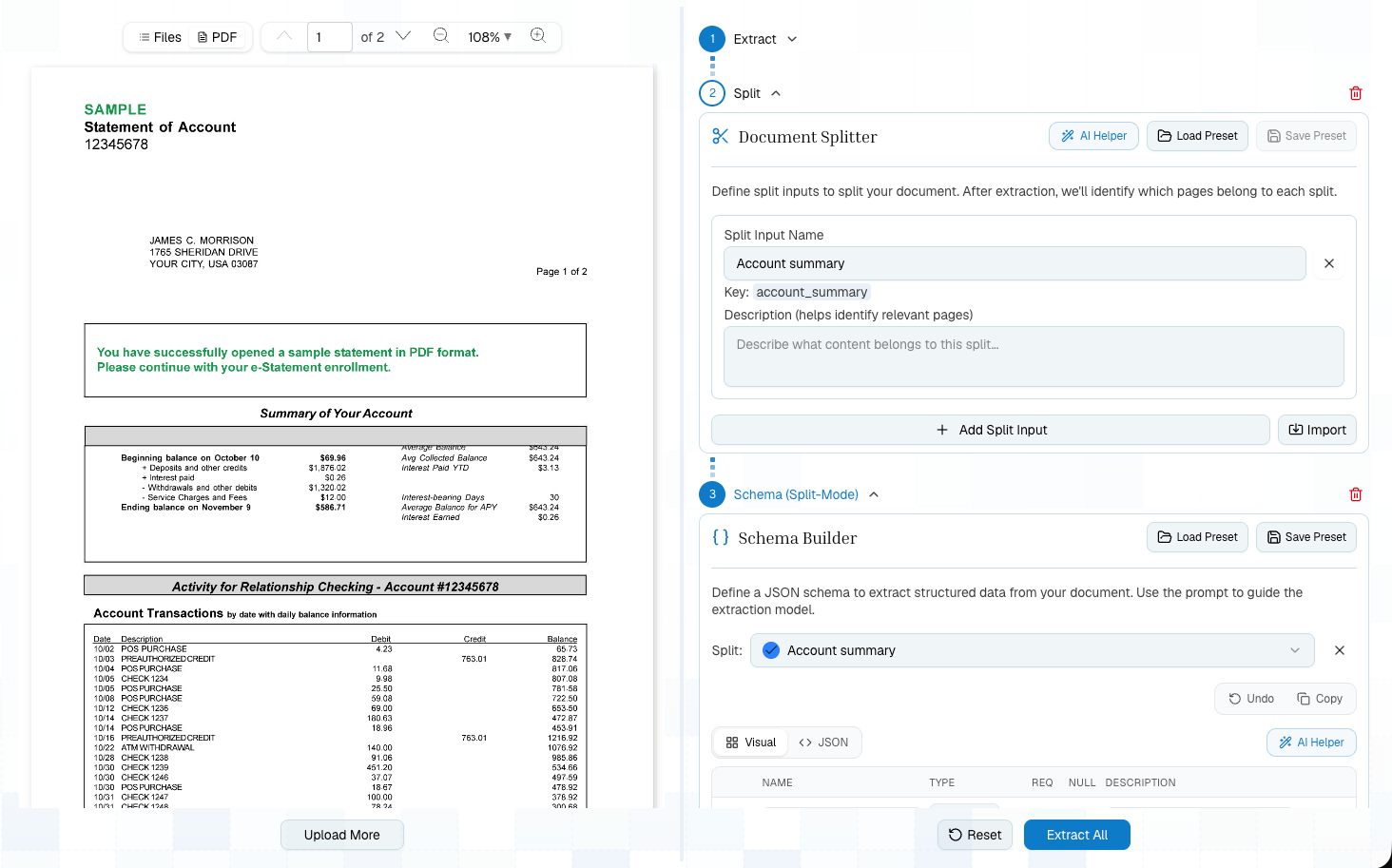
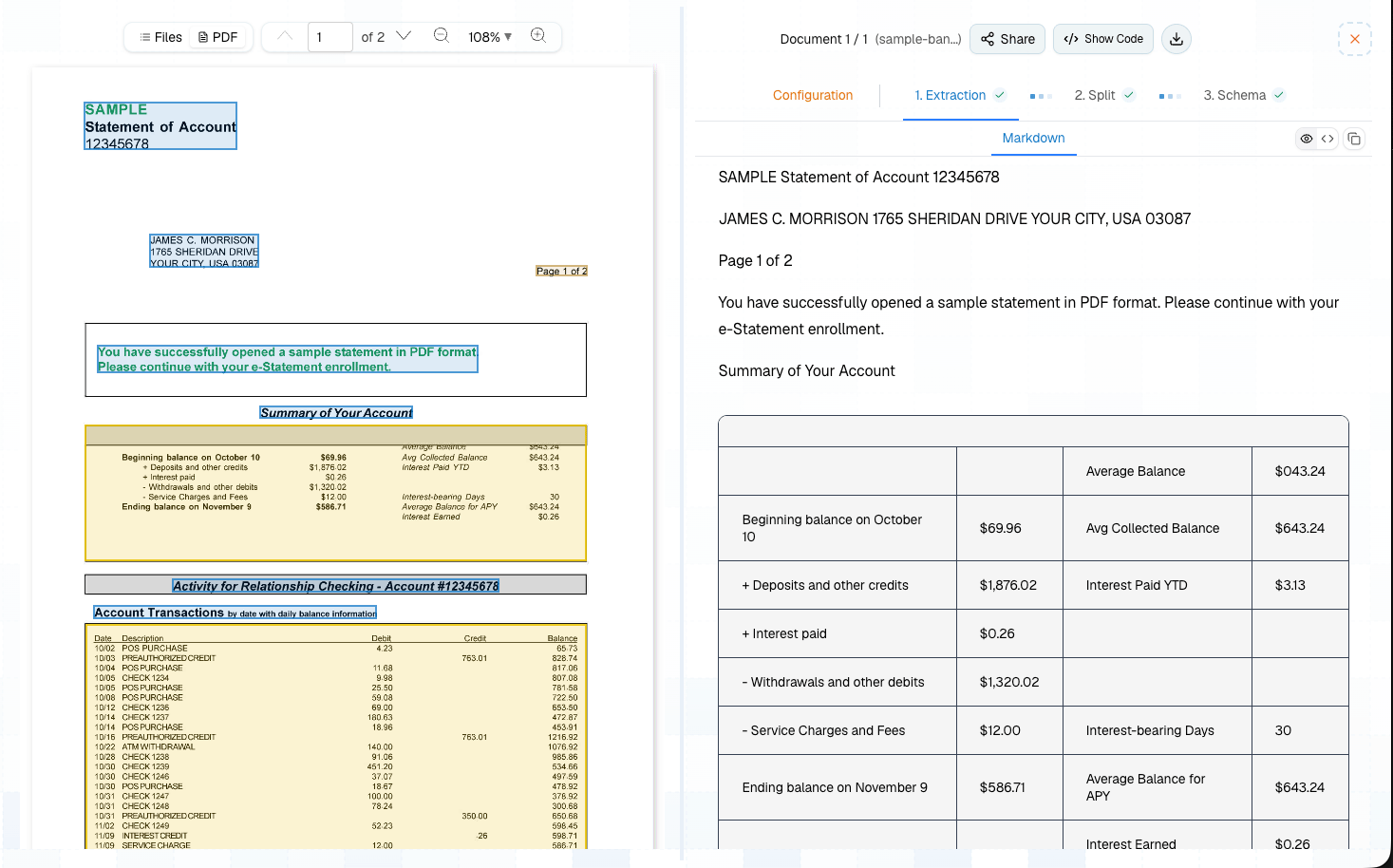
Starter Schema
Improve The Pipeline
Once the basic flow works, make it more production-ready:Move To Code
Generated code should become the starting point for your app integration. In production, replace sample paths and keys with your own inputs and secret management.Related
Bank Statement To JSON
A complete Extract -> Schema API recipe with a public sample document.
Platform To Production
Use presets and Show Code well.